7 DAYSOne-week free trial — no credit card, no setup.Get started now
CRM & Sales

From customer to signature — end-to-end sales pipeline

A seamless sales flow from the customer card to a multi-currency quote PDF, agreement and project. Fed by the service catalog and products, with clause blocks added from the quote terms library.

Multi
Currency
Snapshot
Pricing
Internal margin
Protected
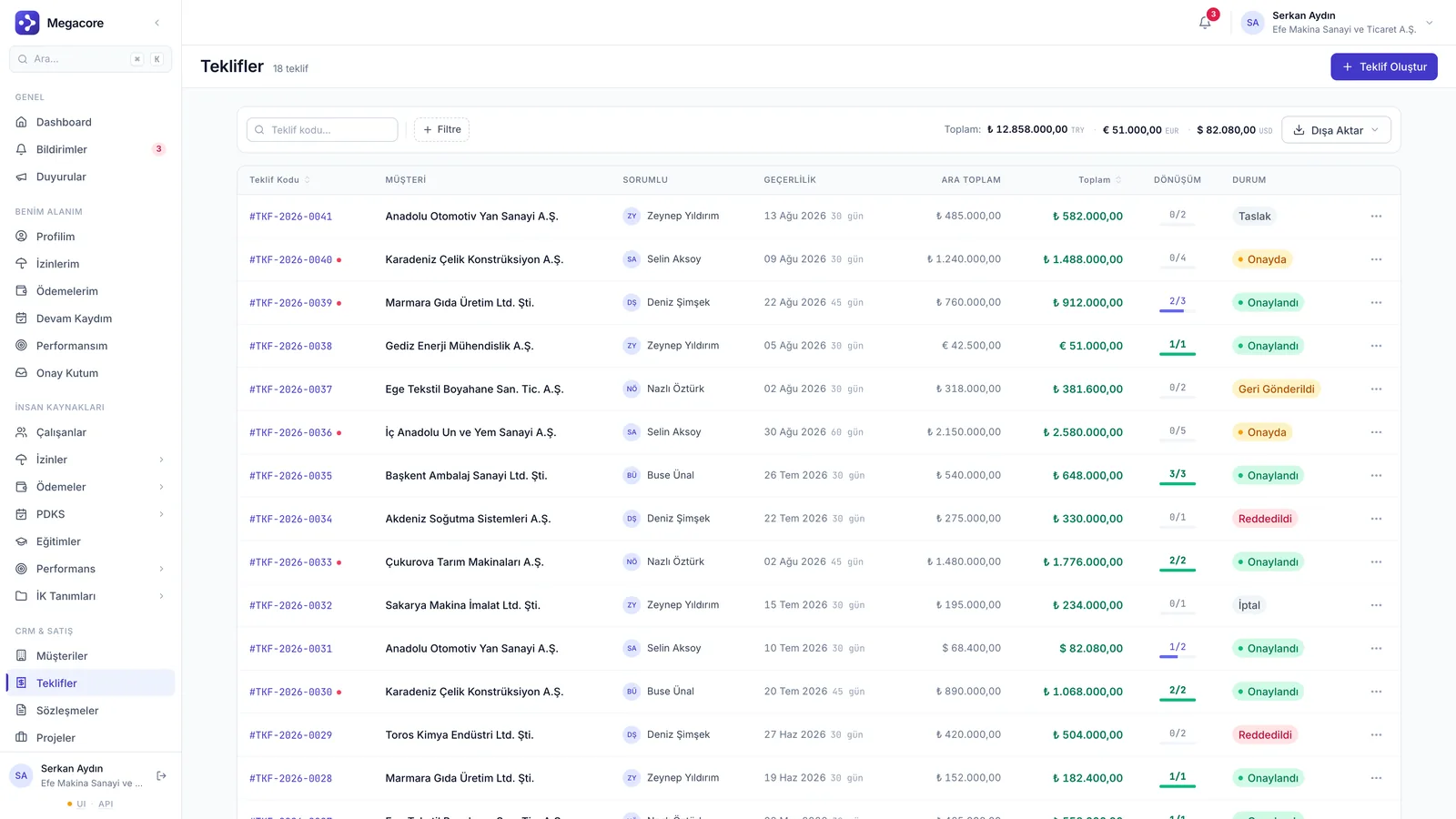
app.megacore.com.tr/offers
Teklif listesi ekranı
Approved quote
₺1.48M
Conversion
2/3
Talent

What does CRM & Sales do?

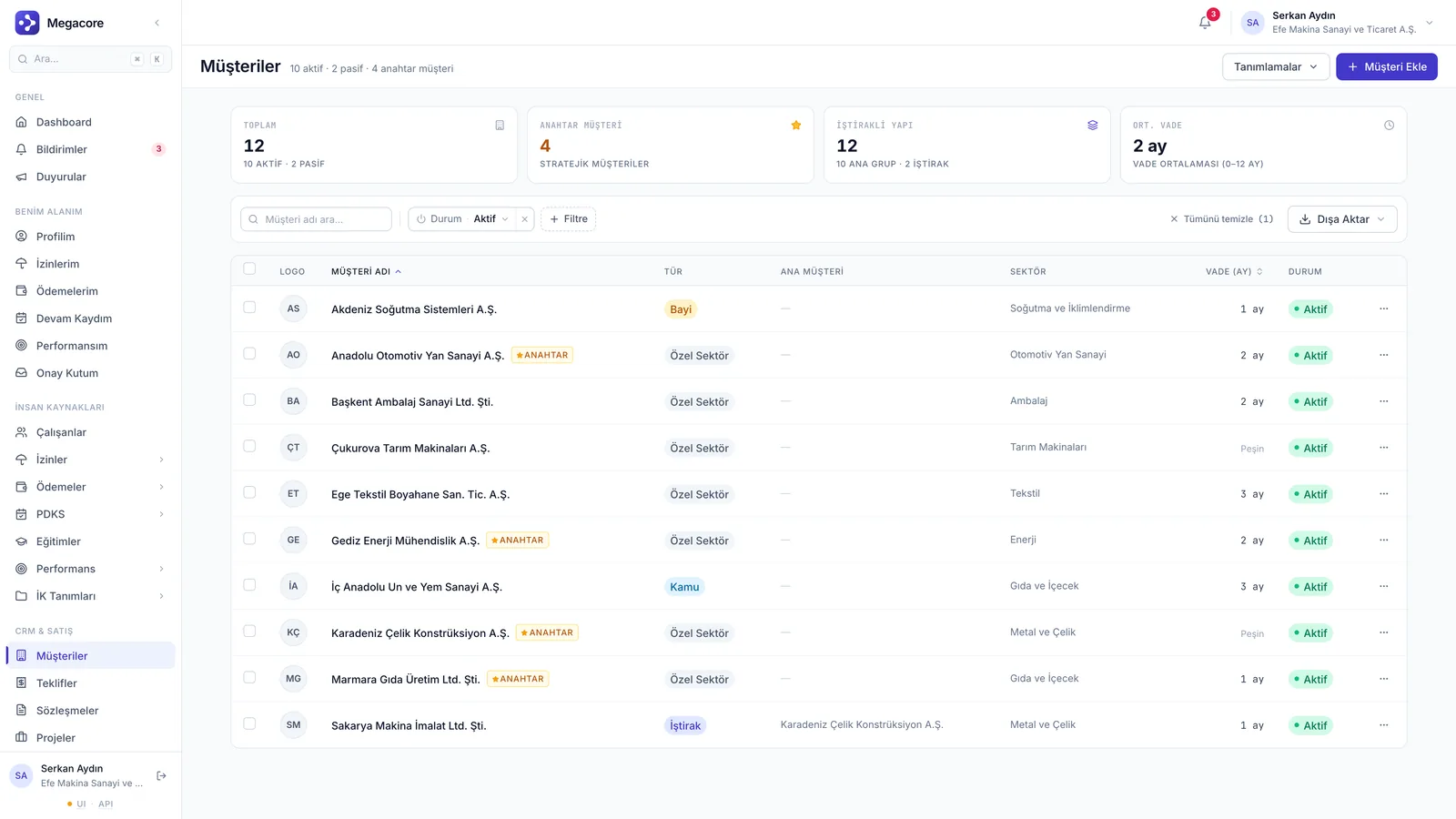
Customer management

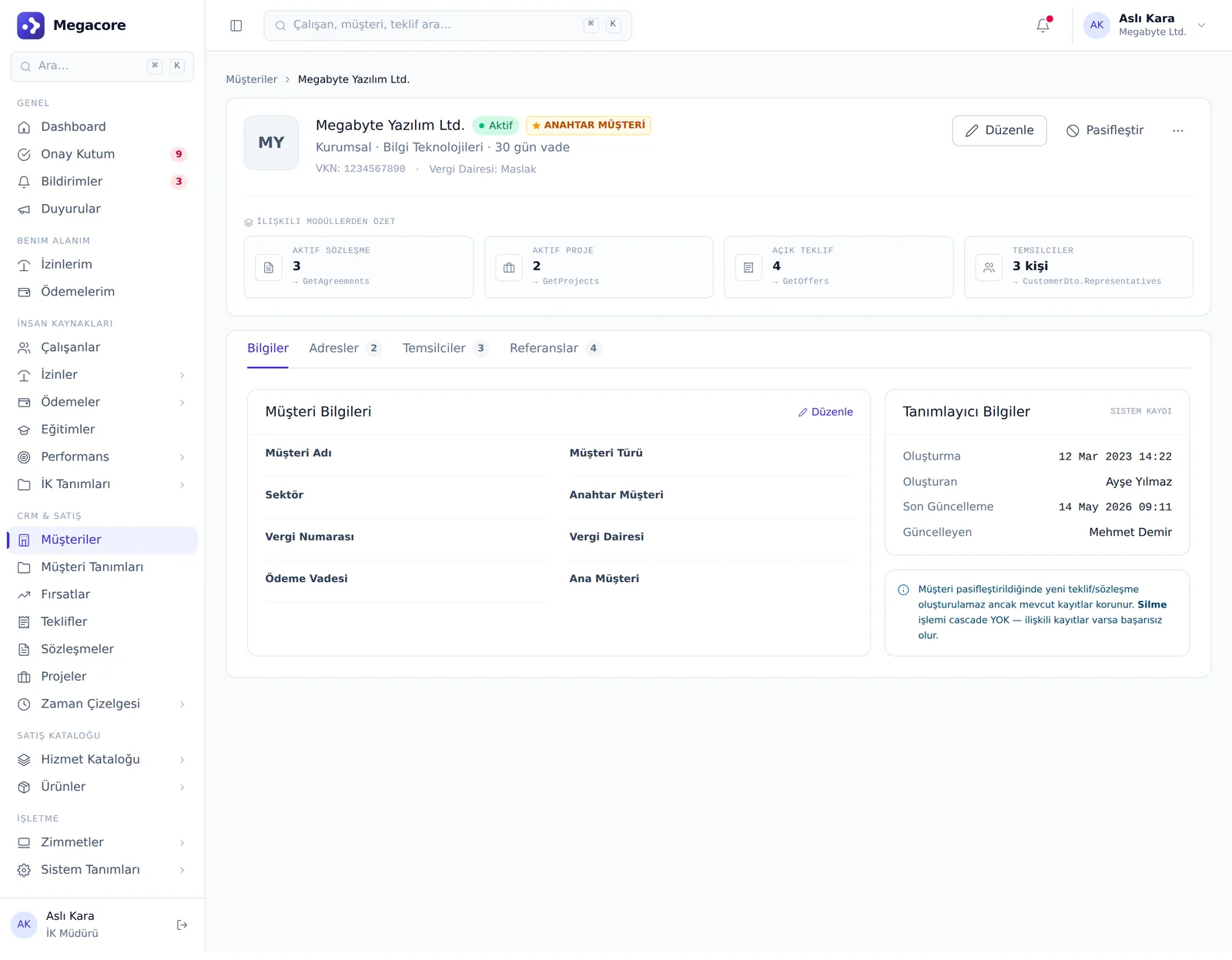
A 360° view with the customer card, contact details and (in the audit module) a risk tab.

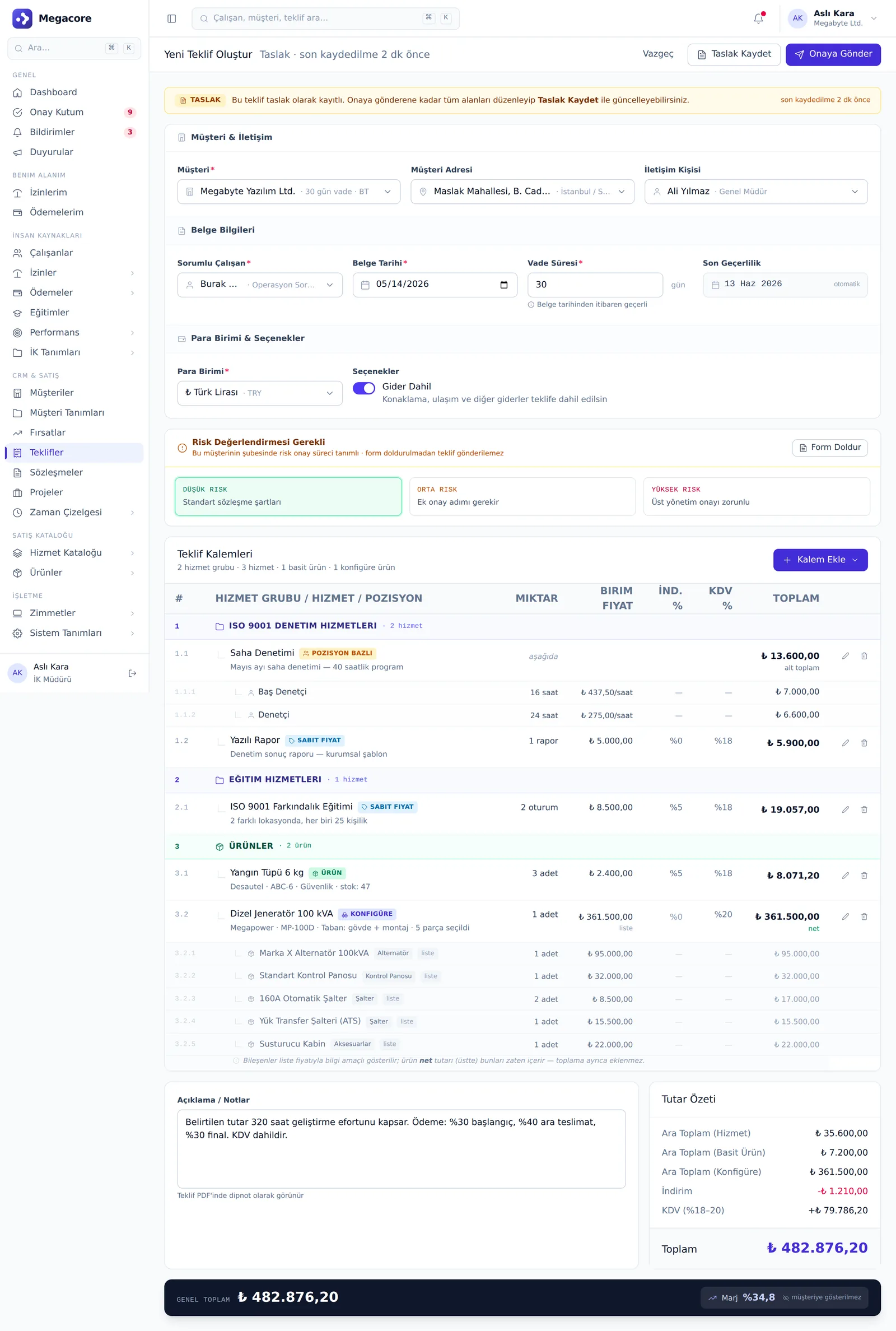
Multi-currency quote

Position-based and fixed-price items, product discount/markup, 3-mode PDF and snapshot pricing.

Quote terms

A company clause-block library; comes to the quote by default and can be overridden per quote.

Service catalog

Service groups and position price lists; consistent pricing with conflict rules.

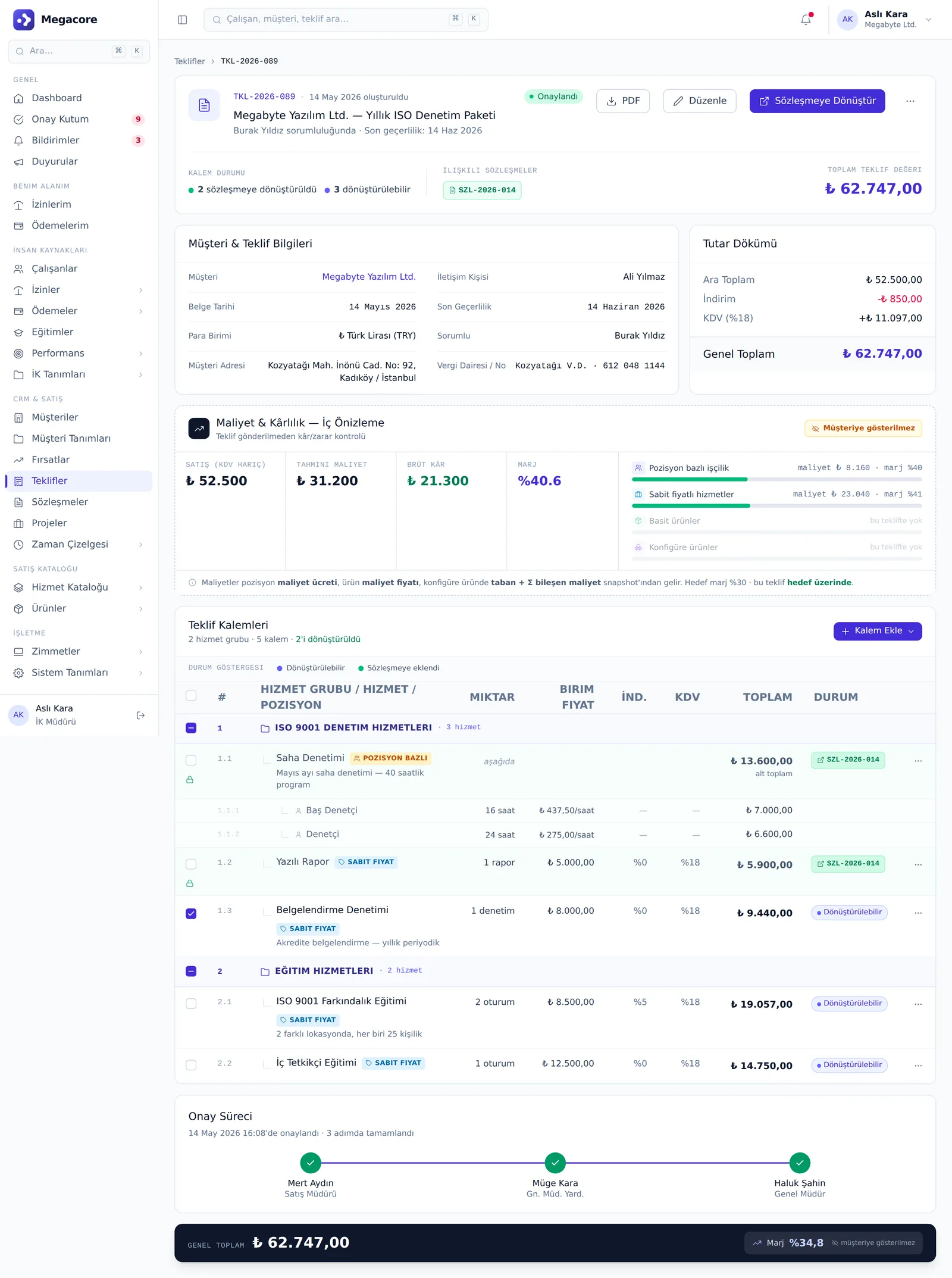
Convert to agreement

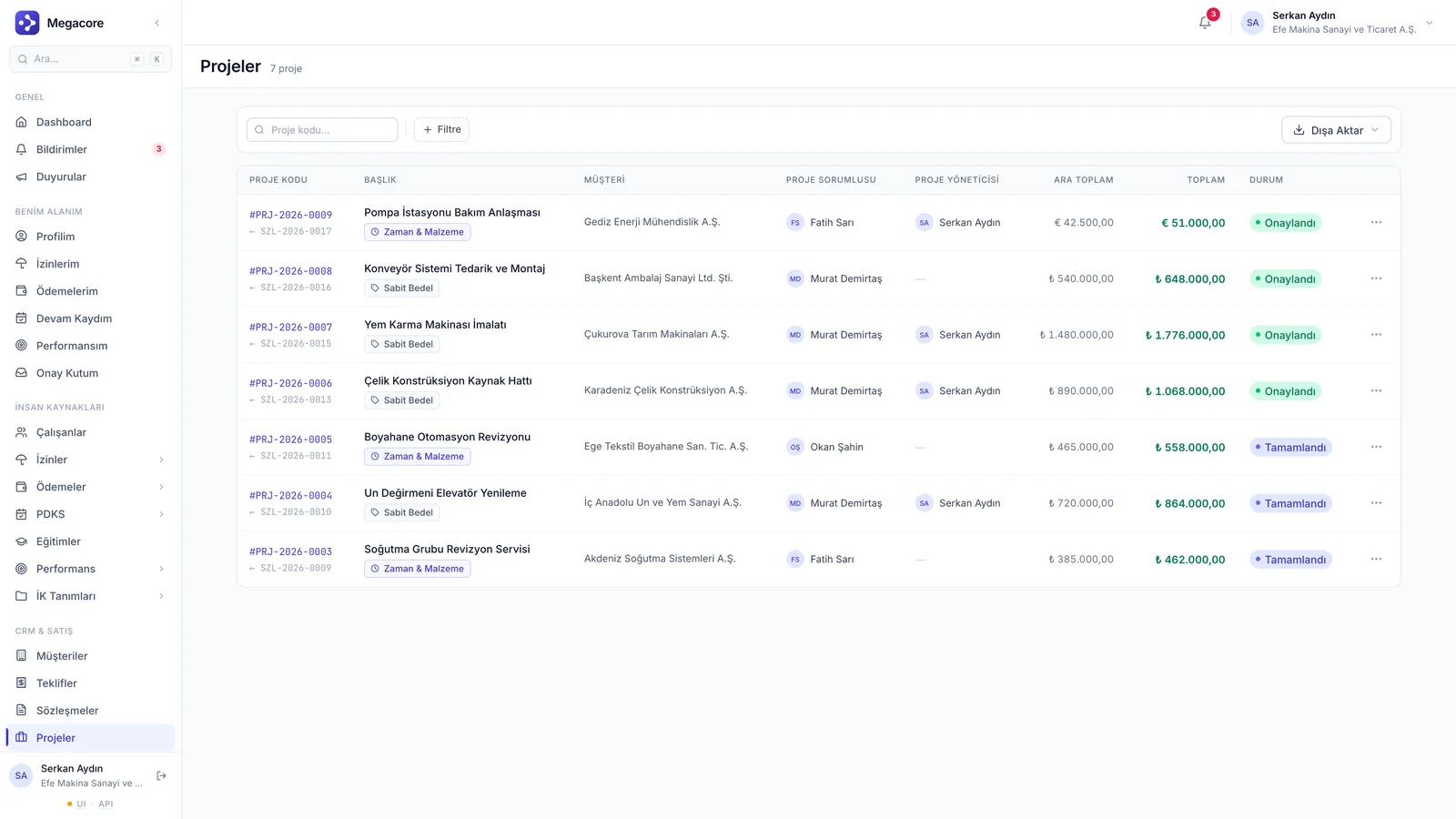
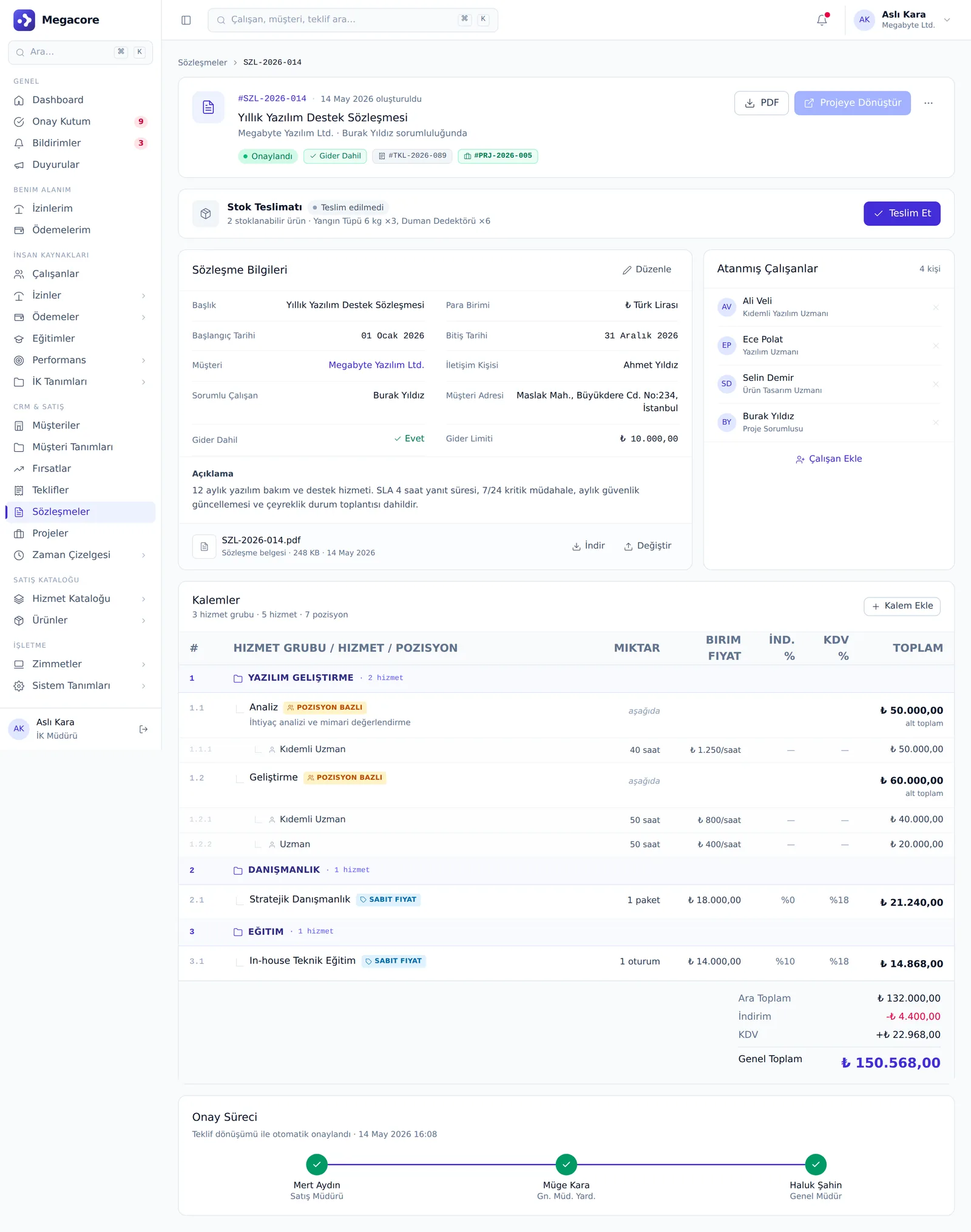
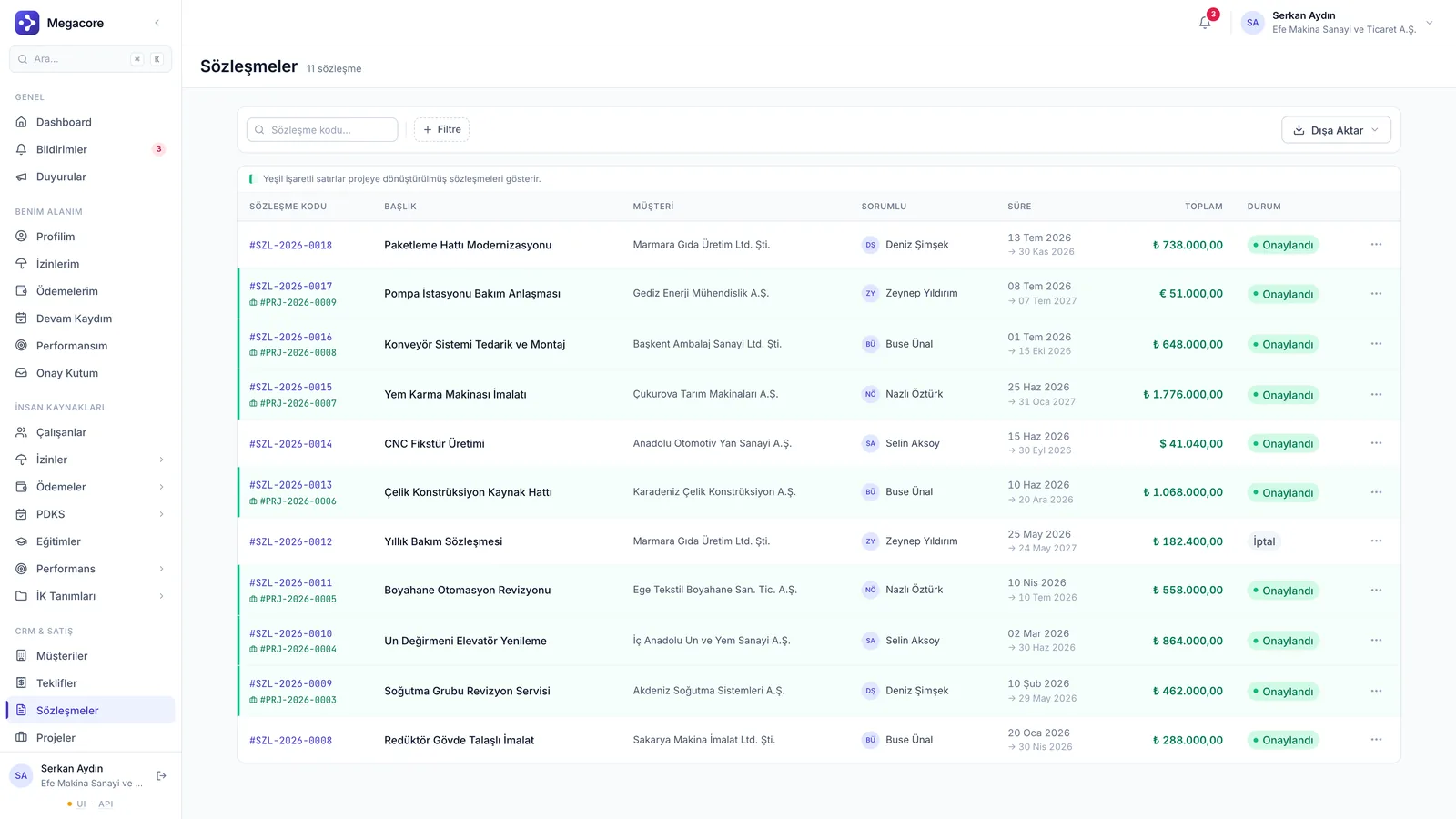
An approved quote becomes an agreement in one click; the agreement evolves into a project.

Internal margin protection

Cost and margin only in the internal preview; not on customer-facing documents.

Real screens

See the module in the live interface

Click the image to enlarge and navigate.

How it works

The process in four steps

1

Open a customer

Create the customer card; acceptance risk is assessed in the audit module.

2

Prepare a quote

Pick items from the catalog and set currency and terms.

3

Send for approval

Multi-step approval; in an audit tenant, risk approval is added to the chain too.

4

Convert

An approved quote flows to an agreement and project.

Detail & action screens

Not just lists — work in detail

Add, edit and detail screens. Click to enlarge.

What you can do

What do you do with CRM & Sales in practice?

Concrete use cases that map to your daily work.

01

Prepare a multi-currency quote

Use TRY, USD, EUR line items in the same quote; on approval, prices and terms are frozen as a snapshot.

02

Convert a quote to an agreement in one click

An approved quote evolves into an agreement, and the agreement into a position-budgeted project — with no data loss.

03

Price from the service catalog

Create consistent, fast quotes with position-based price lists and conflict rules.

04

See the customer in 360°

Contact details, quotes, agreements and (in the audit module) a risk tab on one card.

05

Don't show internal margin to customers

Cost and margin appear only in the manager preview; not on the customer-facing PDF.

06

Add quote terms from the library

Bring company clause blocks to the quote by default, and adjust per-quote when needed.

Linked modules

Powerful alone, seamless together

CRM & Sales shares the same data model with the modules below and transfers information automatically.

Frequently Asked Questions

FAQ

What happens if the price changes after a quote is approved?
At approval, price, terms and items are frozen as a snapshot; later catalog changes don't affect the existing quote.
Does a quote turn into a project automatically?
An approved quote becomes an agreement in one click, and the agreement becomes a project with a billing model; information transfers automatically.
Can I work with different currencies?
Yes. You can use TRY/USD/EUR per line item and export the quote PDF in 3 different modes.

See the CRM & Sales module in your own processes

Try the module free for 7 days with your own data.