7 DAYSOne-week free trial — no credit card, no setup.Get started now
Pre-Accounting

Accounts, invoices, cash & bank — ready for your accountant

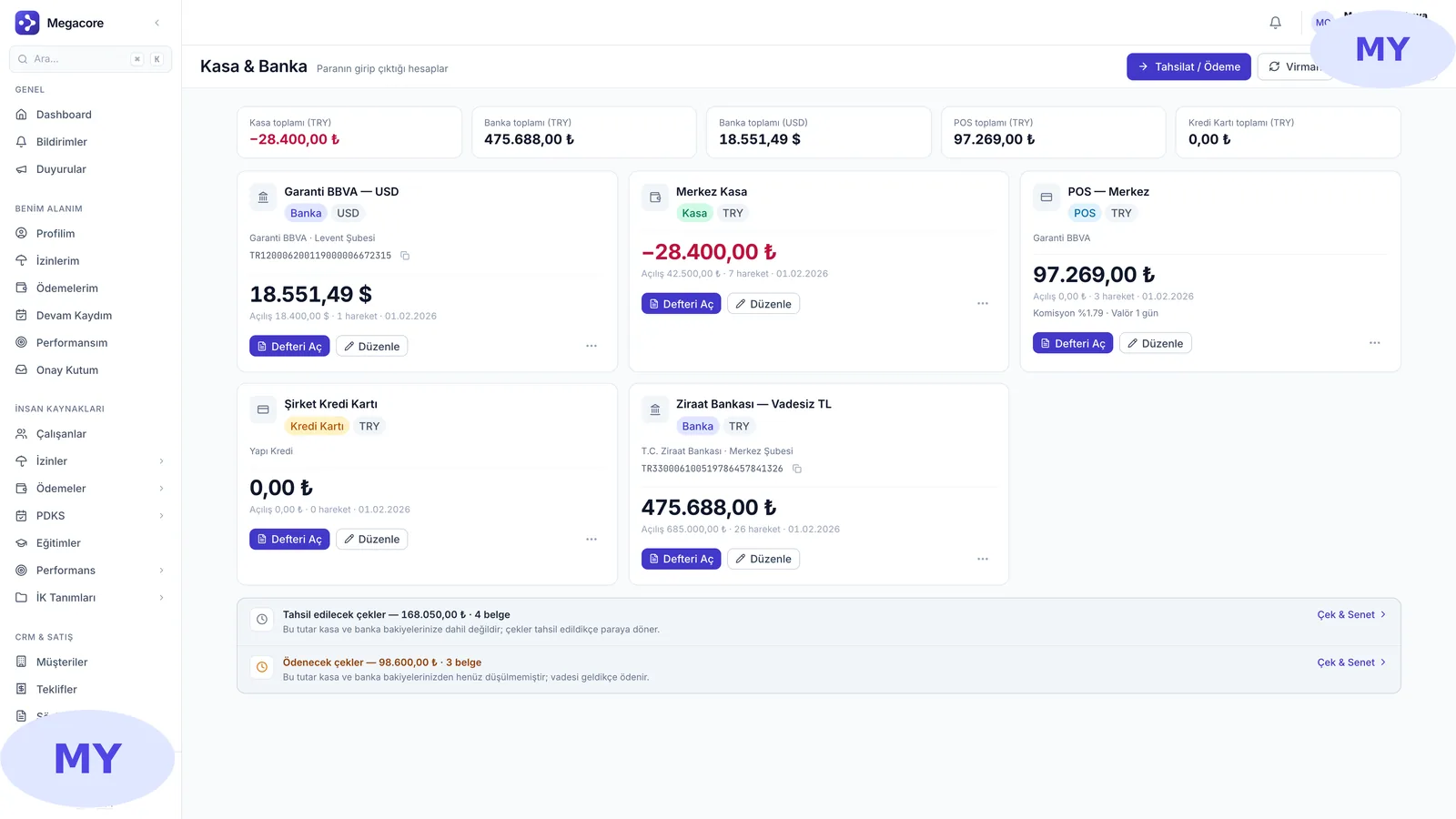
Current accounts, invoices, cash & bank, cheques/notes, bank reconciliation and period close in one module. Review the month-end journal on one screen before sending it to your accountant.

Accounts
Receivable-payable
Invoice
Auto type
Cash & Bank
Cash flow
Cheque-Note
Due tracking
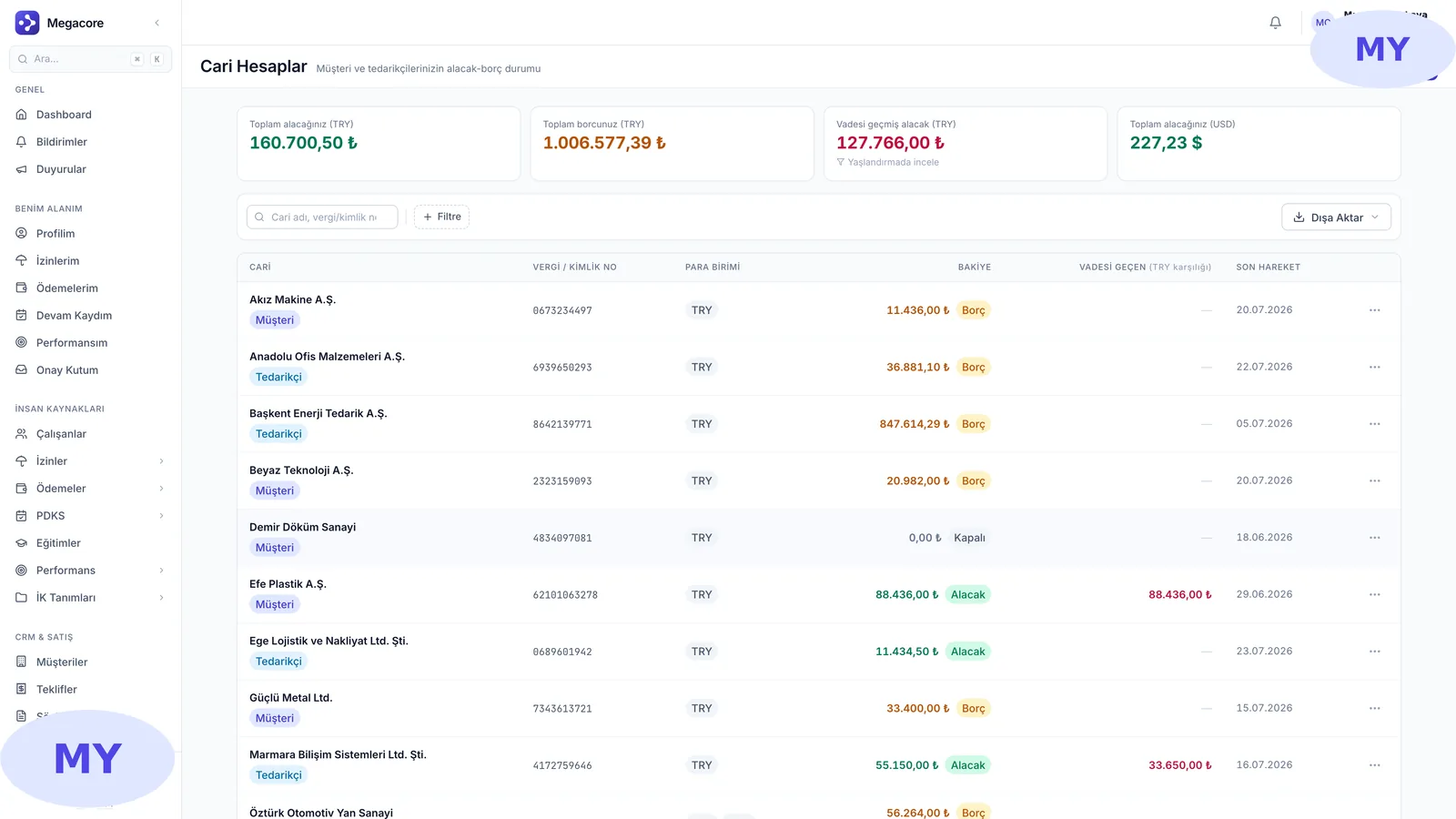
app.megacore.com.tr/finance
Current accounts screen
Accounts
Balance
Invoice
Auto
What it does

What does Pre-Accounting do?

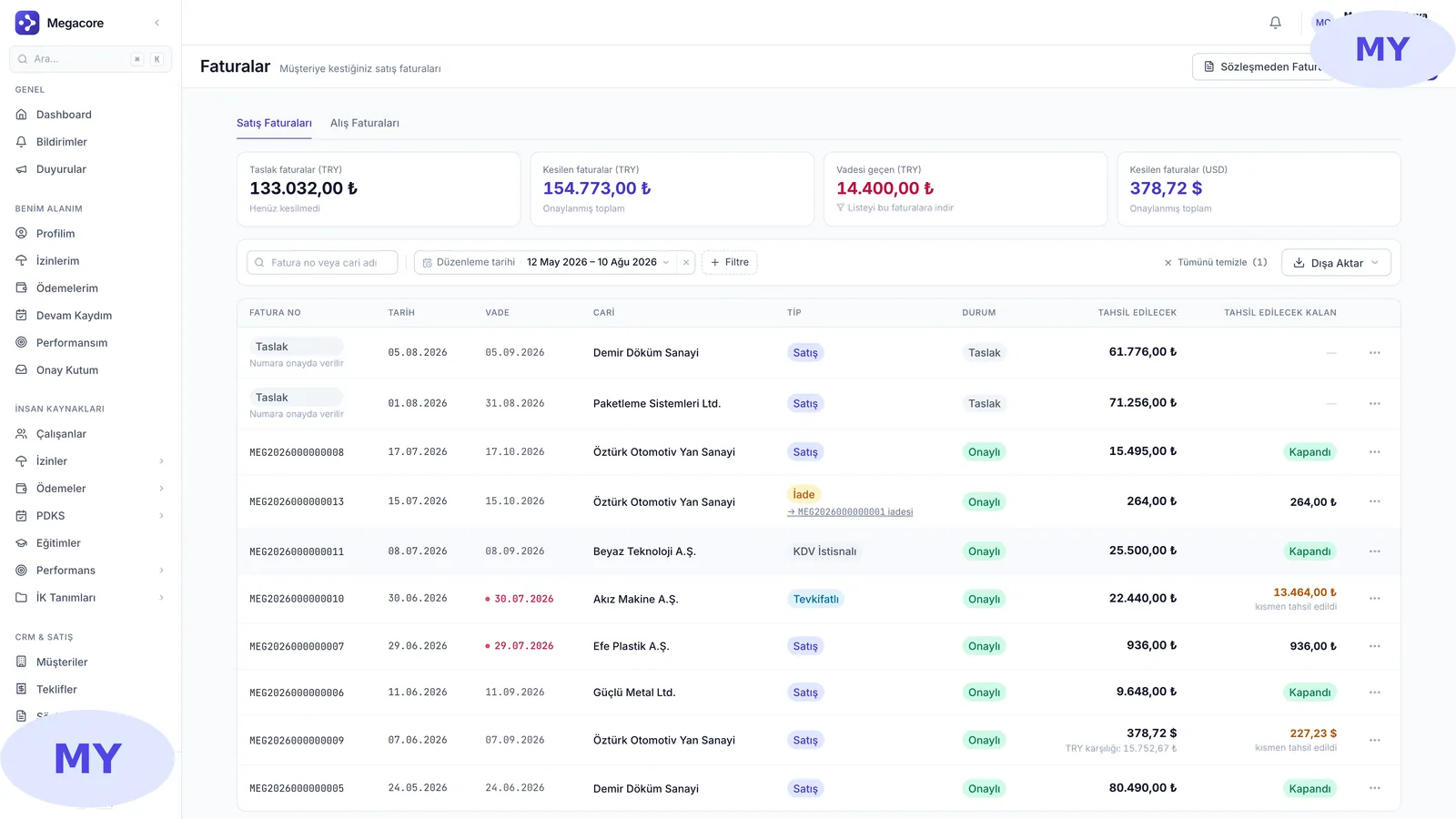
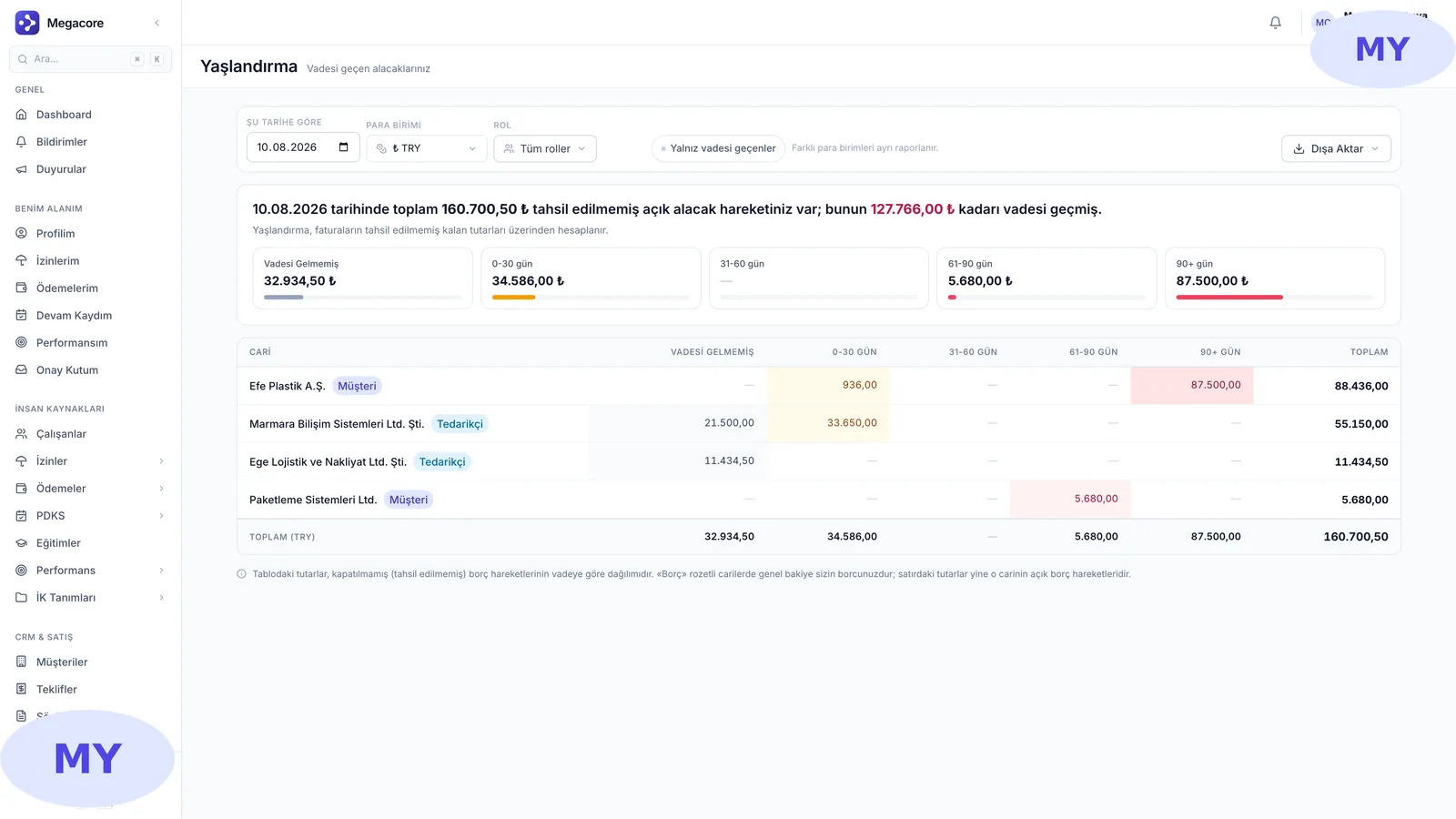
The Pre-Accounting module gets your daily financial movements ready for your accountant. Receivable/payable tracking, invoicing, cash & bank movements, cheque/note due dates, bank reconciliation and aging reports in one place. At period close, a journal entry is generated and handed to your accountant.

Real screens

See the module in the live interface

Click an image to enlarge and browse.

The process in four steps

1

Define accounts

Open your customers and suppliers as current accounts.

2

Invoice & movement

Issue invoices, post cash-bank movements; the type is set automatically.

3

Reconcile & due

Upload the bank statement and reconcile, track cheque/note due dates.

4

Close period

Generate the month-end journal and send it to your accountant.

What you do with Pre-Accounting in practice

01

Current accounts

See customers' and suppliers' receivable-payable status and account ledger.

02

Aging

Track your overdue receivables with the aging report.

03

Cheques & notes

Track cheques/notes you received and issued by due date on a calendar.

04

Bank reconciliation

Upload the bank statement and match it with system movements, see differences.

Strong alone, seamless together

This module works standalone, but reaches full power connected to MEGACORE's other modules.

Frequently asked questions

Frequently asked

Is this an official accounting program?
No, it is pre-accounting. It organizes daily financial movements and prepares the journal to hand to your accountant; official filings and ledgers stay with your accountant.
How is the invoice type determined?
It is set automatically from the tax information you enter; the invoice number is assigned on approval.
How does bank reconciliation work?
You upload your bank statement, it auto-matches with system movements; you link the unmatched ones manually.
What happens at period close?
The month is locked, a journal entry is generated for that period and prepared to hand to your accountant.

See the Pre-Accounting module in your own processes

Request a free demo, explore it live with your own data.

Request a free demo →