7 DAYSOne-week free trial — no credit card, no setup.Get started now
Human Resources

All of staff management — from records to self-service

All your HR processes in one module — from employee records and leave balances to attendance timesheets and payroll entries. Managers run their teams; employees create their own requests via self-service.

6
Sub-process
art. 53
Leave regulations
Role
-based approval
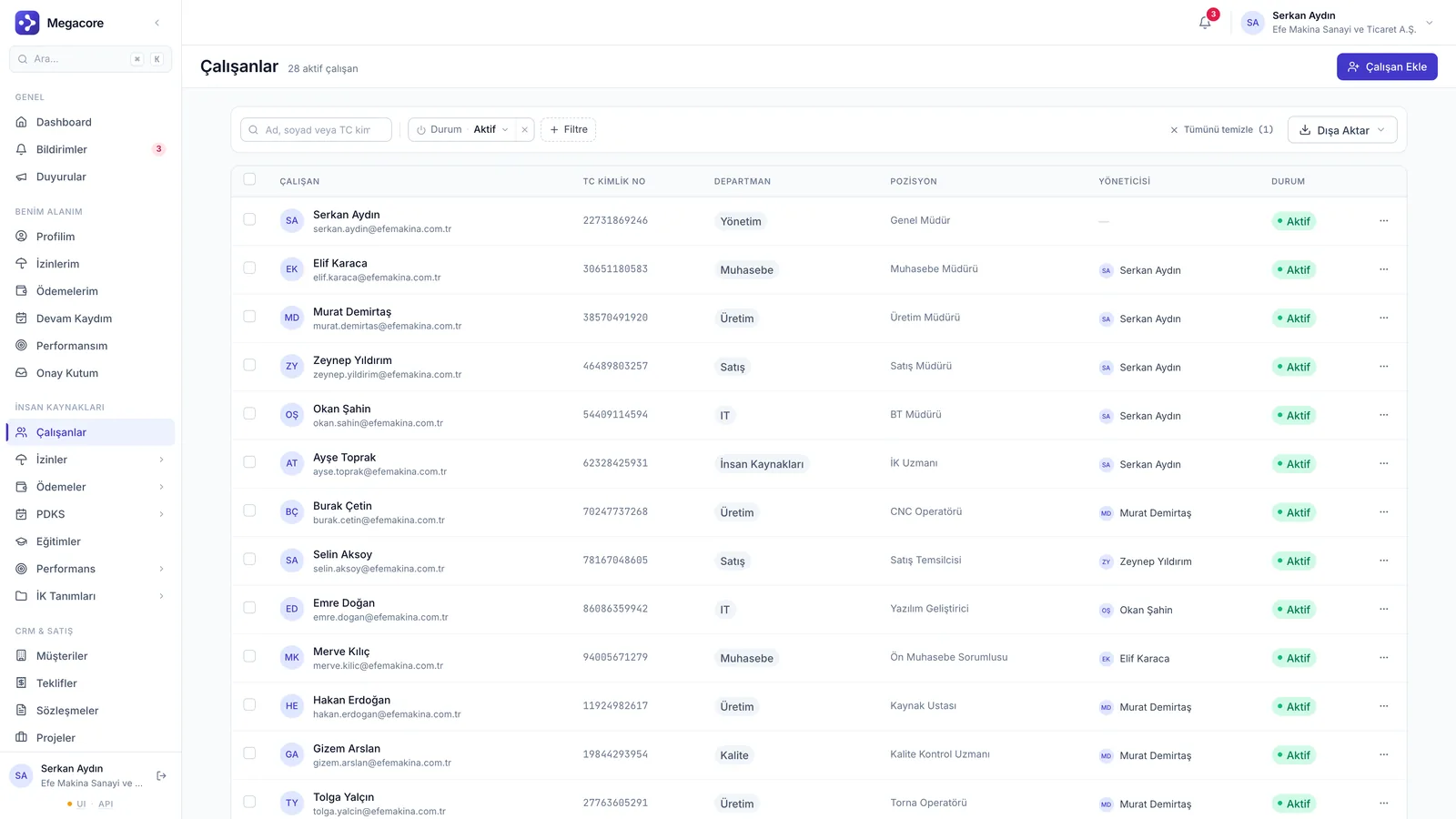
app.megacore.com.tr/employees
Çalışanlar listesi ekranı
Employee
28 active
Leave balance
12 days
Talent

What does Human Resources do?

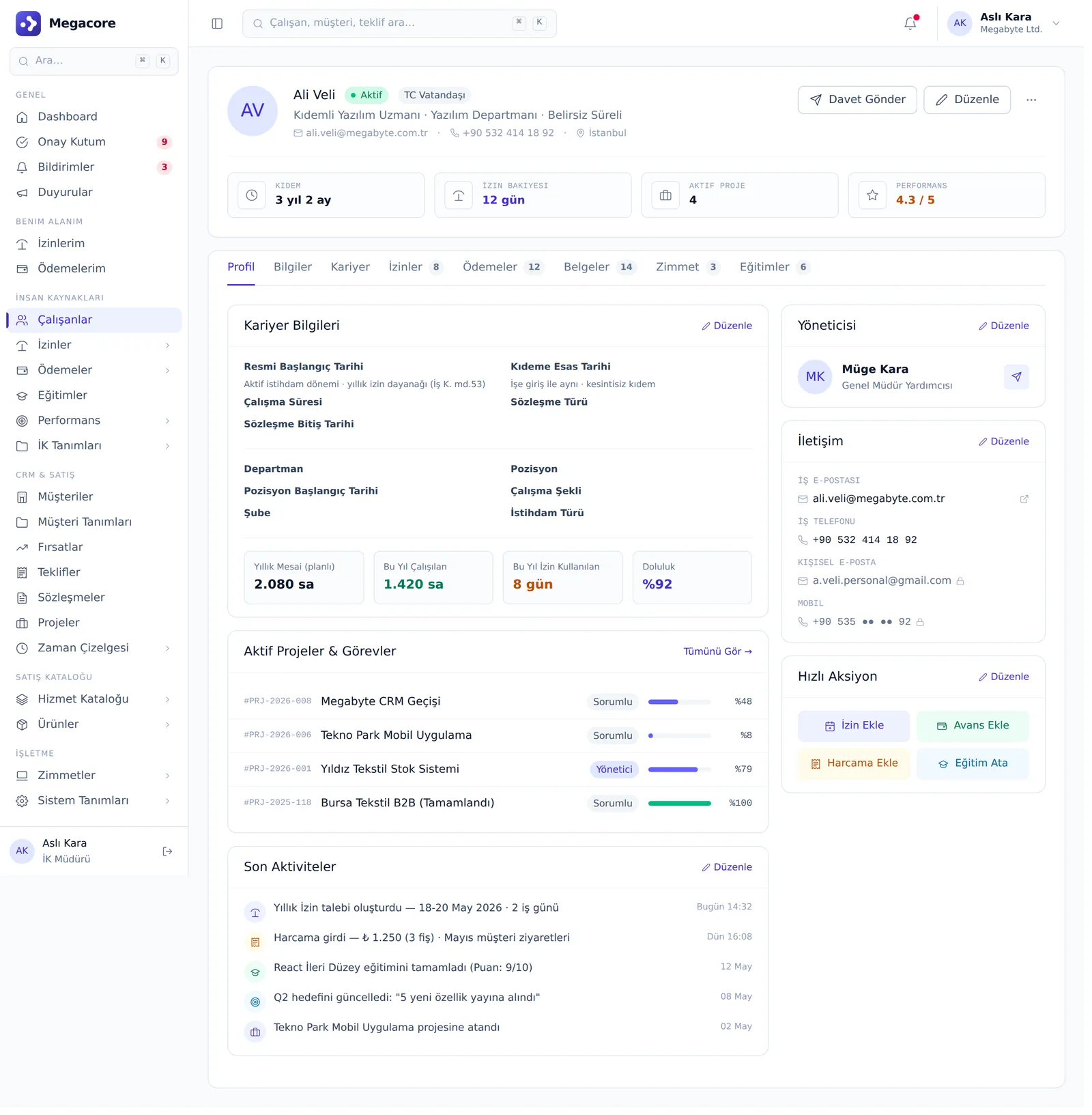
Employee & records

A complete personnel file with personal info, position, department, branch and document definitions.

Leave management

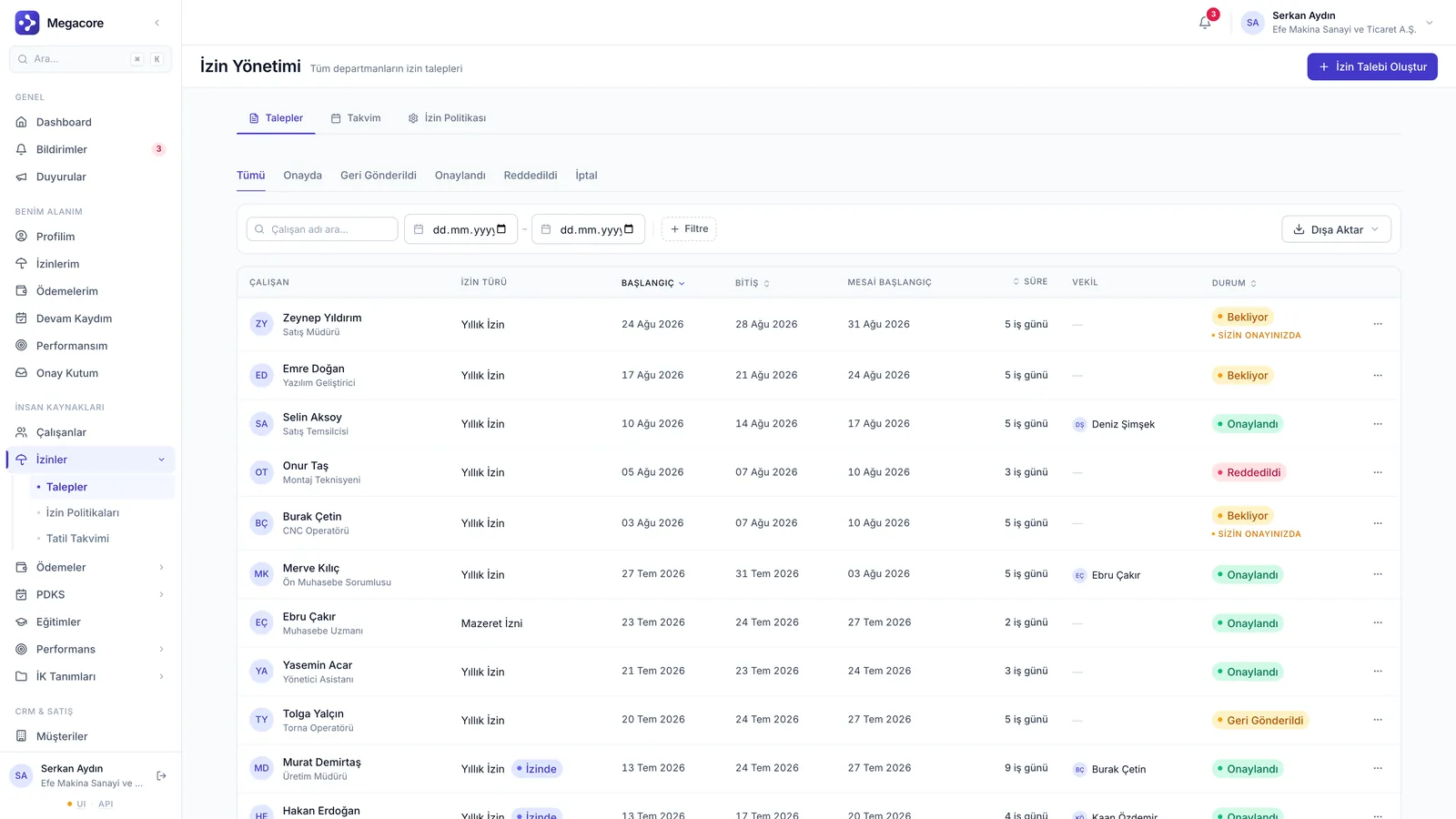
Leave policies, holiday calendar, approval chain and balance tracking. Labor Law art. 53 seniority-based entitlement is built in.

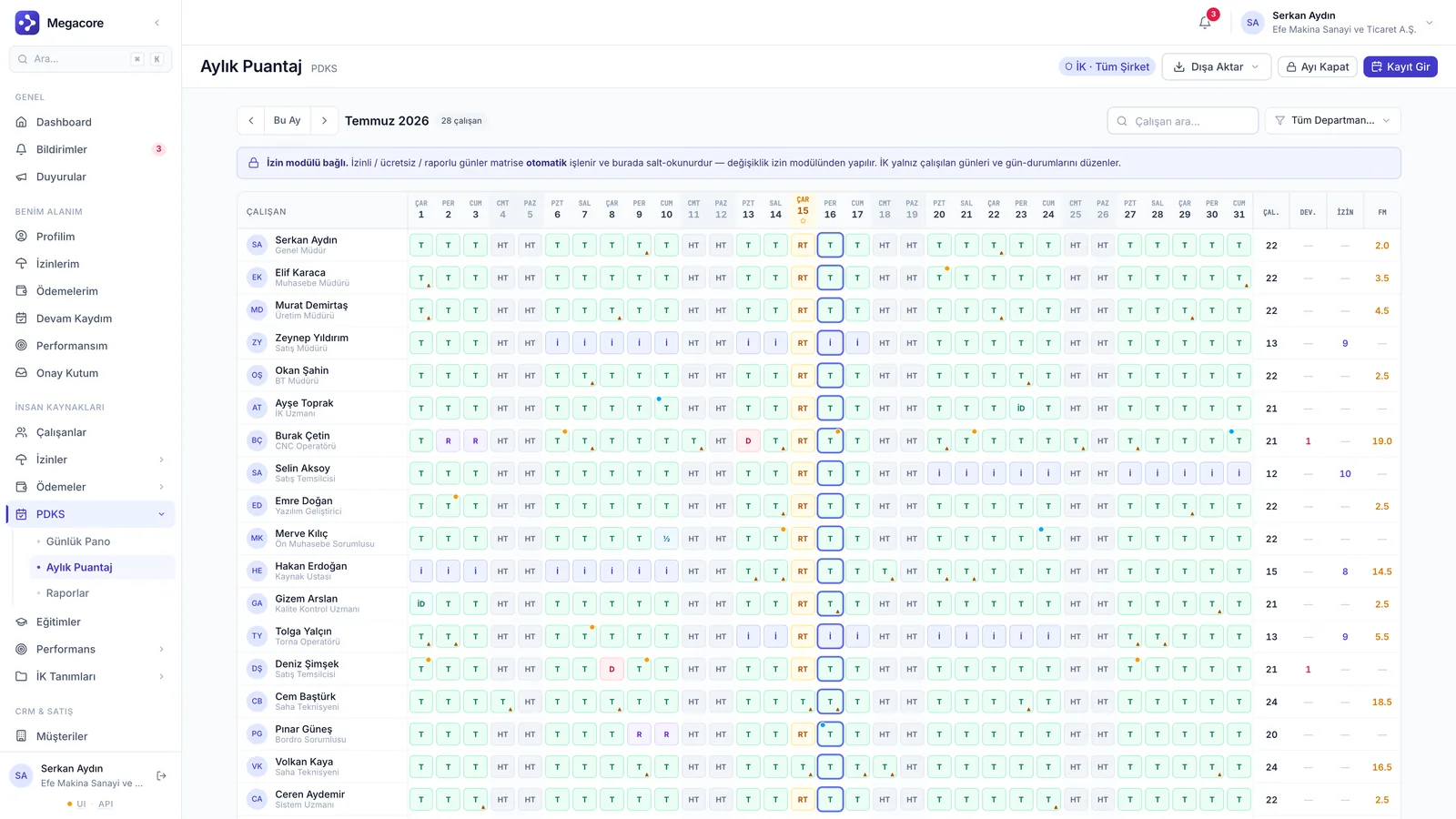
Attendance & timesheet

Regular/overtime breakdown and payroll-ready output via the daily clock-in/out board and monthly timesheet grid.

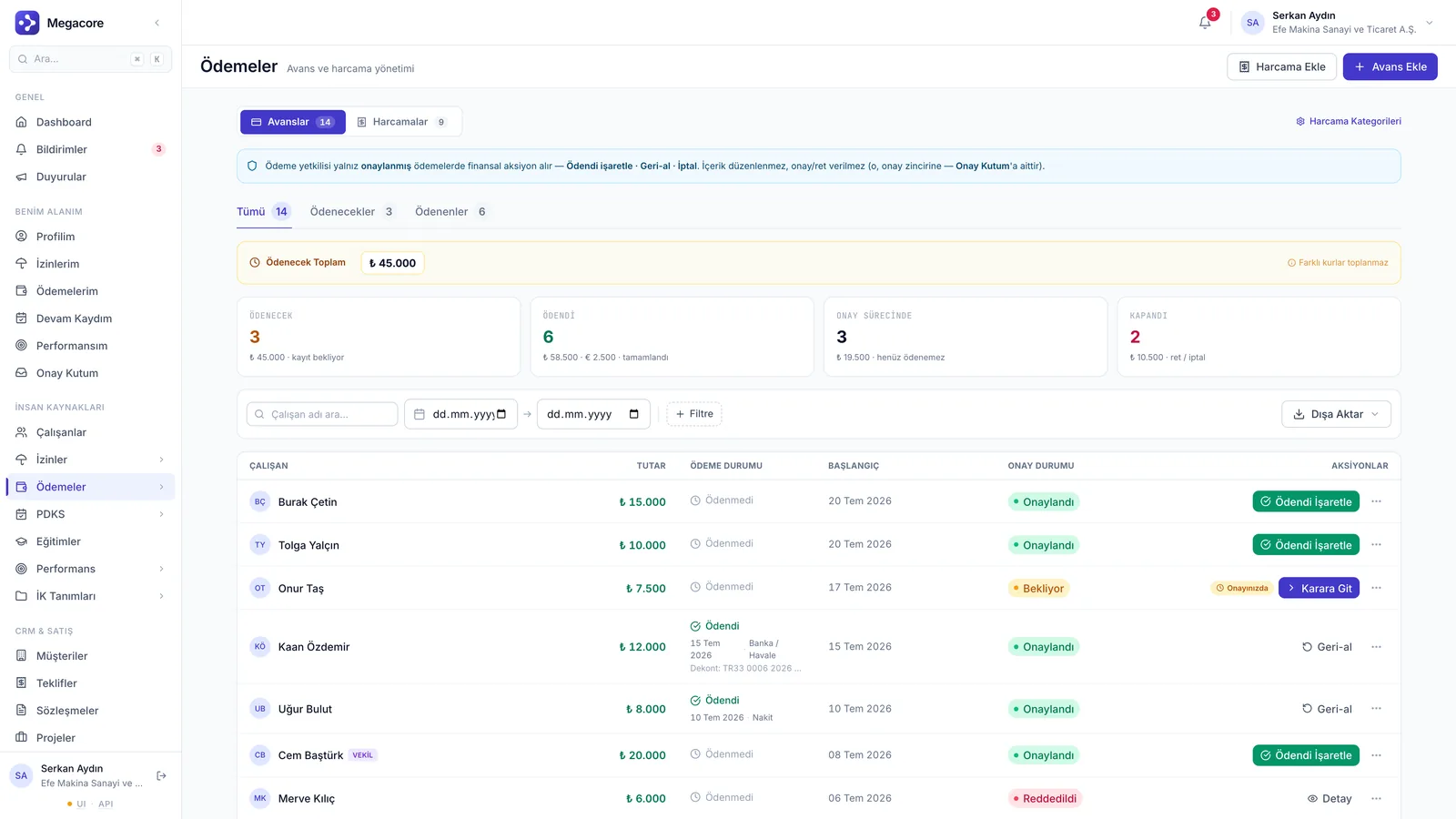
Advance & expense

Employee advances and expense requests go through receipt-based approval and are tracked until marked paid.

Training & performance

Training assignments and performance cycles are tied to HR; development in one place.

Approval processes

Multi-step, role-based approval chains by request type; every decision leaves a trail.

Real screens

See the module in the live interface

Click the image to enlarge and navigate.

How it works

The process in four steps

1

Define

Set up position, department, branch and document definitions.

2

Create team

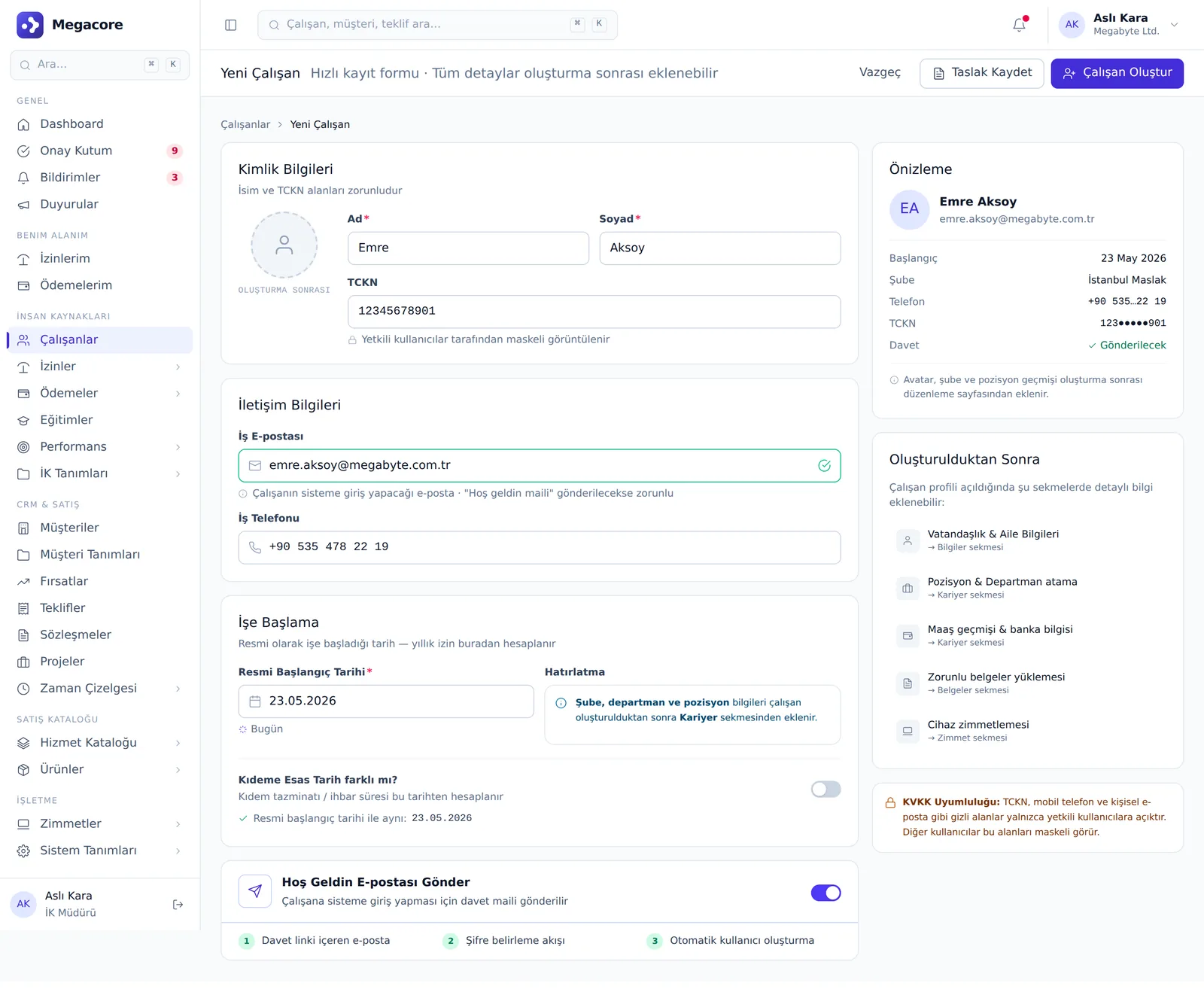
Invite employees; their self-service access is enabled automatically.

3

Run the processes

Leave, advance, attendance and performance flows go through the approval chain.

4

Report

Timesheet and payroll entries turn into ready outputs.

Detail & action screens

Not just lists — work in detail

Add, edit and detail screens. Click to enlarge.

What you can do

What do you do with Human Resources in practice?

Concrete use cases that map to your daily work.

01

Route leave requests through the approval chain

Employees request leave via self-service; it goes to the manager, is deducted from the balance and added to the holiday calendar.

02

Produce a payroll-ready monthly timesheet

Build the timesheet grid from attendance data with regular/overtime breakdown and convert it to payroll entries.

03

Digitize personnel files

Upload documents like IDs, contracts and diplomas to the employee card and access them in one place.

04

Manage advances and expenses

Route the employee advance/expense request through receipt-based approval and track it until marked paid.

05

Set up department and branch structure

Reflect your org chart in the system with position, department and branch definitions.

06

Track seniority and notice entitlements

Seniority-based leave entitlement is calculated automatically per Labor Law rules.

Linked modules

Powerful alone, seamless together

Human Resources shares the same data model with the modules below and transfers information automatically.

Frequently Asked Questions

FAQ

Are leave balances calculated automatically?
Yes. Annual leave entitlement is calculated automatically based on leave policies and start date; approved leaves are deducted from the balance.
Can employees create their own requests?
Yes. With self-service access, employees open their own leave, advance and expense requests; approval goes to the manager.
Is there a link between attendance and payroll?
The monthly timesheet grid calculates regular/overtime breakdown and feeds payroll entries; no re-entry needed.

See the Human Resources module in your own processes

Try the module free for 7 days with your own data.