7 DAYSOne-week free trial — no credit card, no setup.Get started now
Time & Attendance

From clock-in/out to timesheet — payroll-ready

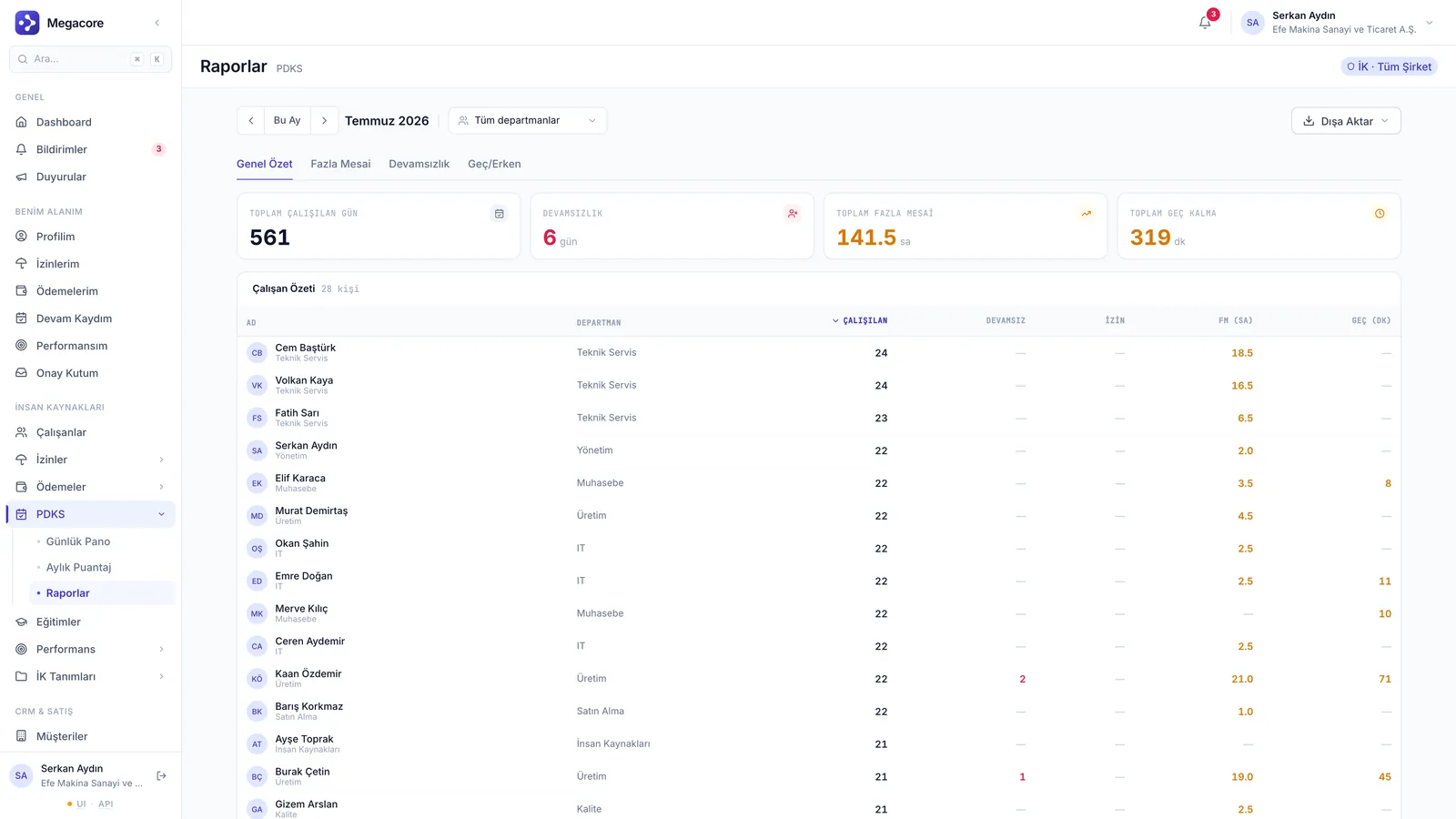
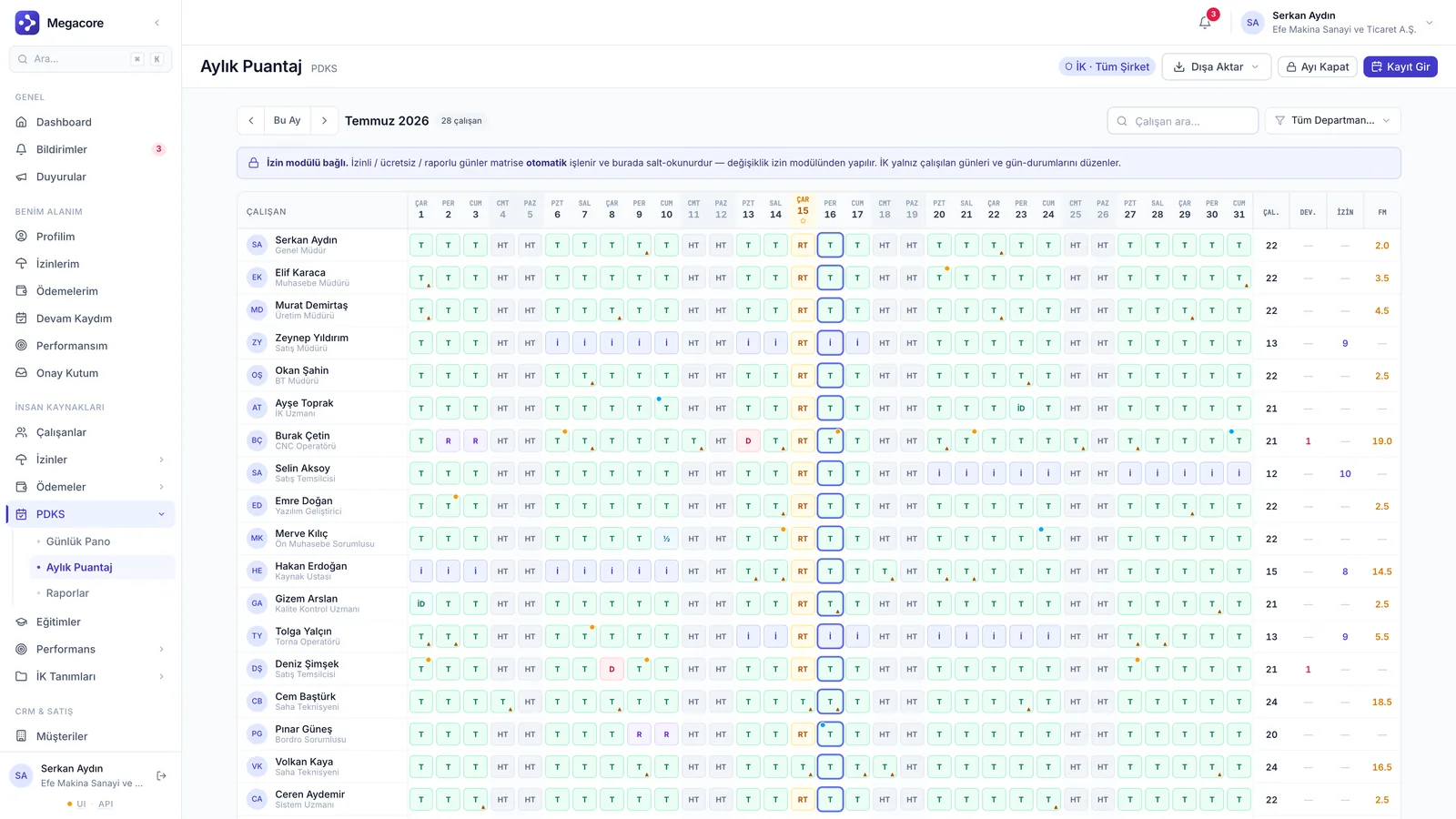
Work-hour tracking with a daily clock-in/out board, monthly timesheet grid and attendance reports. Regular and overtime breakdowns are calculated automatically and turned into payroll entries.

Daily
Dashboard
Monthly
Timesheet grid
To payroll
Ready
app.megacore.com.tr/attendance
Aylık puantaj matrisi ekranı
Work hours
Automatic
Payroll
Ready
Talent

What does Time & Attendance do?

Daily board

Daily clock-in/out status on one screen; who's in, who's on leave.

Monthly timesheet

Month-long attendance via the timesheet grid; regular/overtime split.

Attendance reports

Department- and period-based attendance analytics.

Leave & holiday layer

Leave and public holidays reflect on the timesheet automatically.

Team view

A manager sees their own team's attendance record.

Bridge to payroll

Timesheet output feeds payroll entries.

Real screens

See the module in the live interface

Click the image to enlarge and navigate.

How it works

The process in four steps

1

Work calendar

Define the company work calendar.

2

Aggregate in/out

Daily attendance is monitored from the board.

3

Timesheet

The monthly grid calculates the hours breakdown.

4

Transfer

Payroll entries become ready.

What you can do

What do you do with Time & Attendance in practice?

Concrete use cases that map to your daily work.

01

Monitor daily attendance from the board

Who's in, who's on leave — see daily clock-in/out status on one screen.

02

Build a monthly timesheet grid

Prepare month-long attendance as a grid with regular/overtime breakdown.

03

Reflect leave and holidays automatically

Public holidays and approved leaves are posted to the timesheet automatically.

04

Get payroll-ready output

Timesheet results directly feed payroll entries.

Linked modules

Powerful alone, seamless together

Time & Attendance shares the same data model with the modules below and transfers information automatically.

Frequently Asked Questions

FAQ

Is overtime calculated automatically?
Yes. Based on the work calendar, regular and overtime hours are separated automatically in the timesheet grid.
Do leaves reflect on the timesheet?
Approved leaves and public holidays are posted to the timesheet automatically; no extra entry needed.
Does a manager see only their own team?
A manager views their own team's attendance record; scope is set by the permission structure.

See the Time & Attendance module in your own processes

Try the module free for 7 days with your own data.