7 DAYSOne-week free trial — no credit card, no setup.Get started now
Purchasing

From request to invoice — controlled purchasing

Purchase request, quote request, quote comparison, order and invoice matching in one flow. 'Who did I ask, who quoted what, which is cheapest' is answered on a single screen.

Request→Order
Approved flow
Quotes
Comparative
3-way match
Order-receipt-invoice
Supplier
Performance score
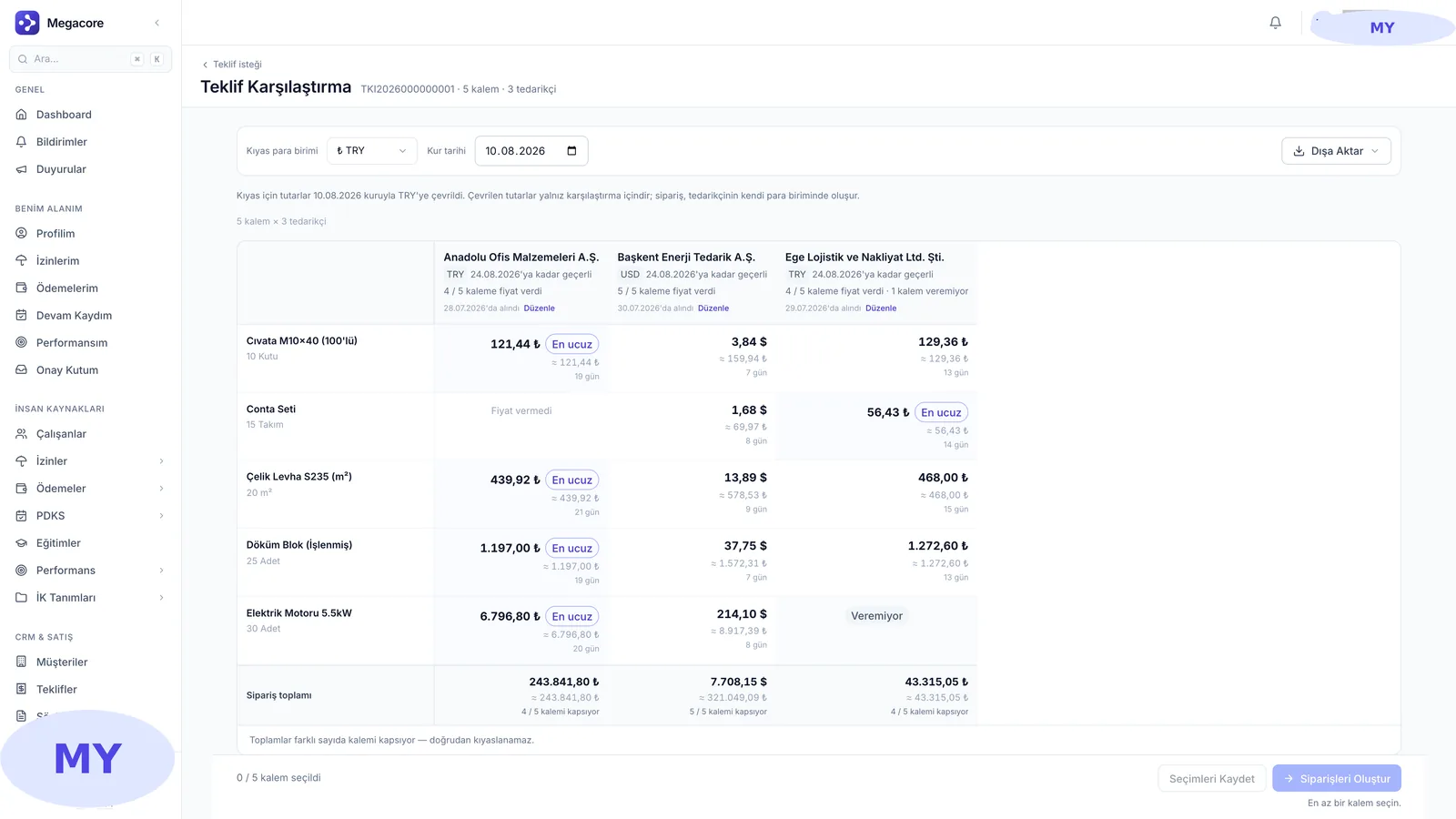
app.megacore.com.tr/purchasing
Quote comparison screen
Quote
Compare
Order
Approved
What it does

What does Purchasing do?

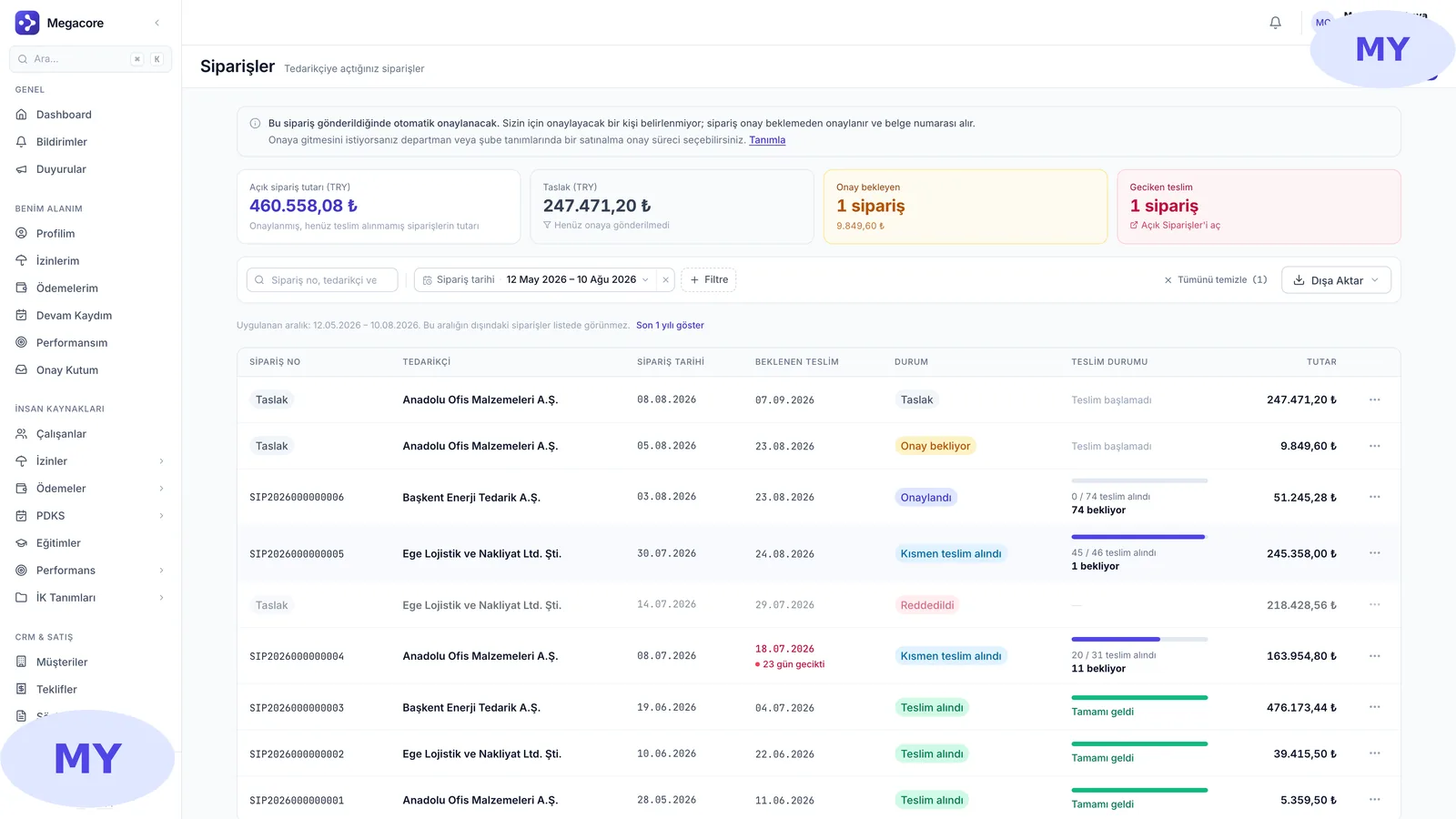
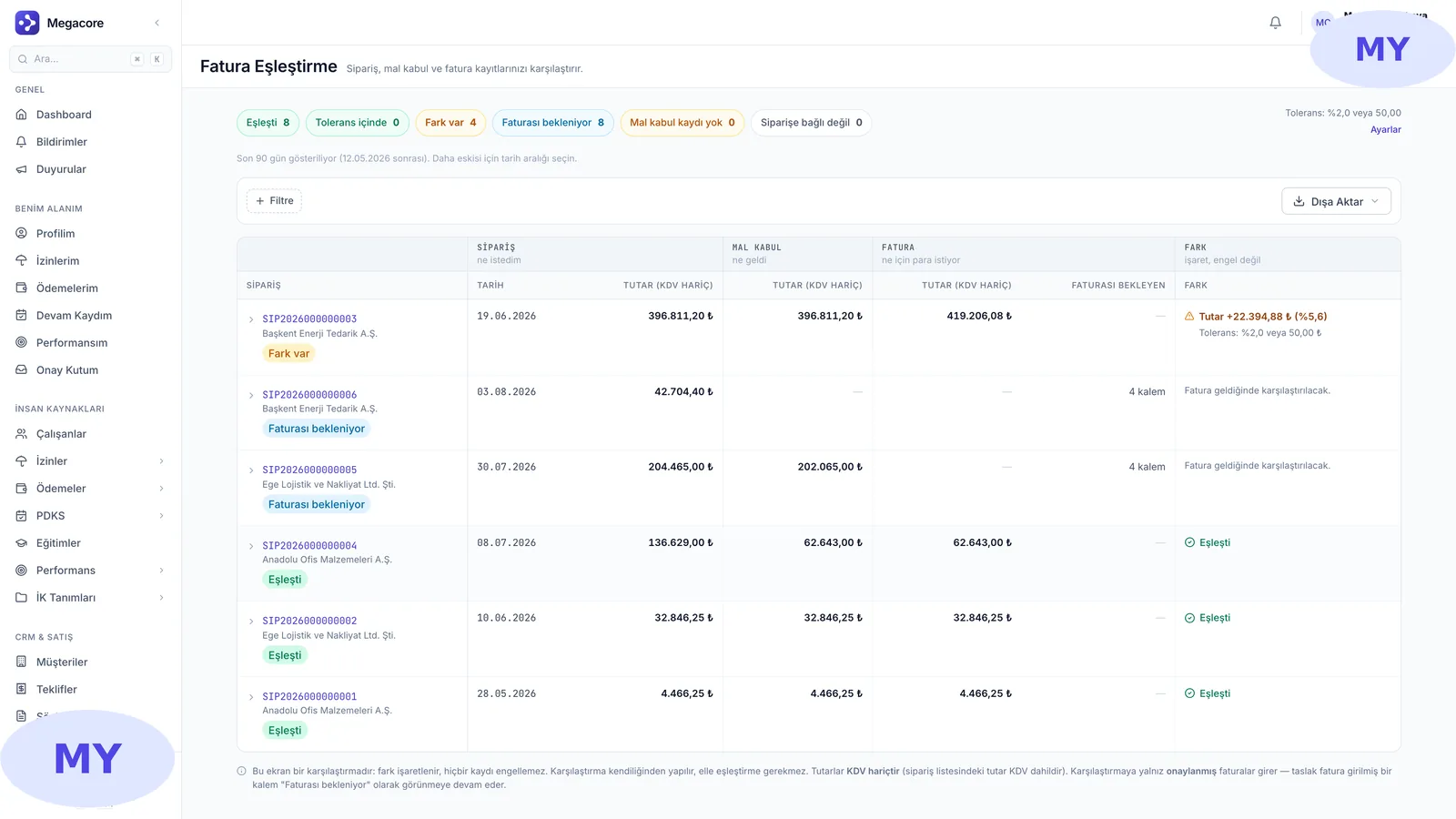
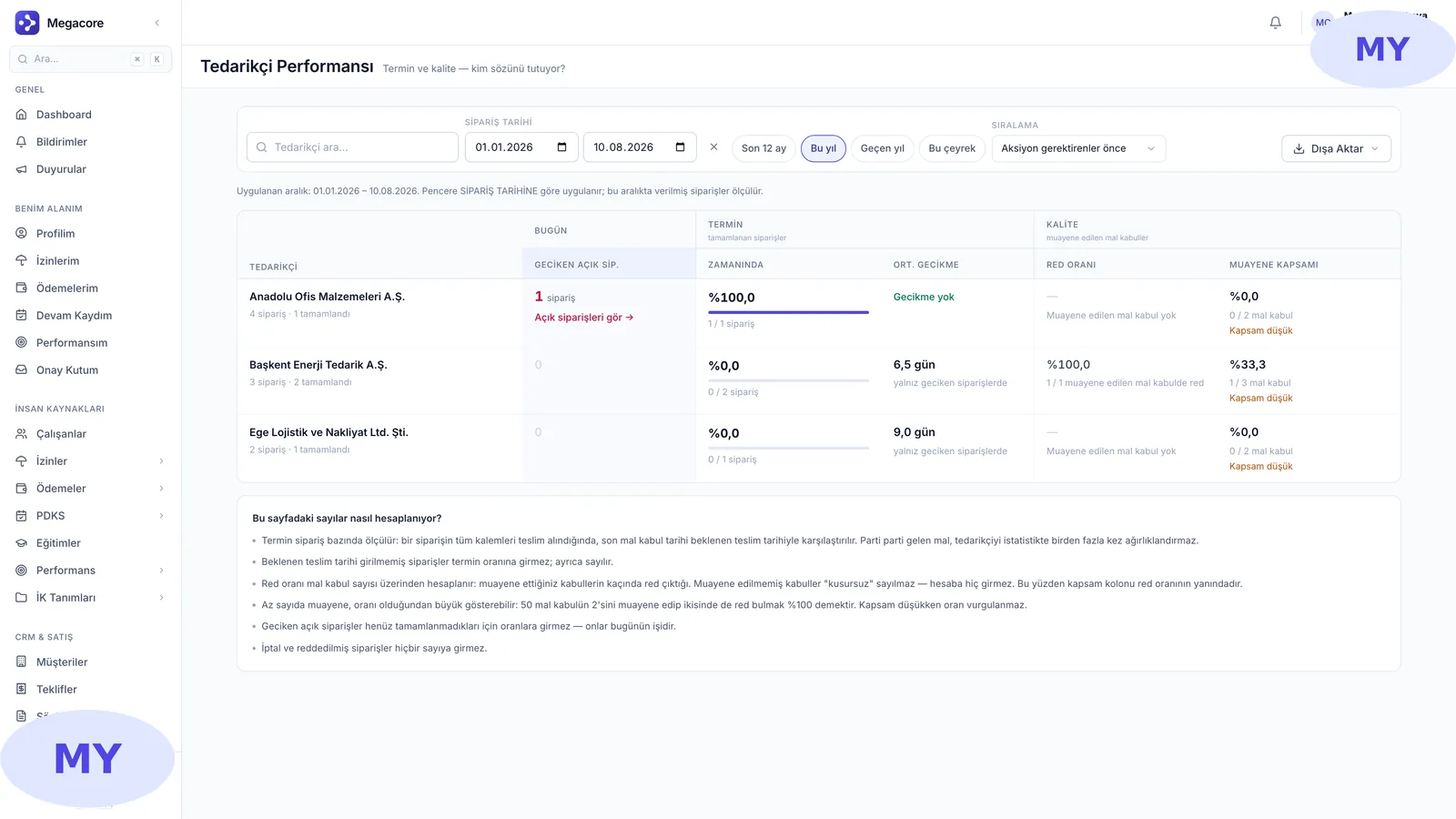
The Purchasing module manages the whole procurement process from requisition to invoice matching. A request goes for approval, quotes are requested from suppliers, quotes are compared, an order is placed, and incoming goods and invoices are matched against the order. Supplier performance is tracked by delivery time and quality.

Real screens

See the module in the live interface

Click an image to enlarge and browse.

The process in four steps

1

Create a request

Open a requisition; it moves from draft to approval via a workflow.

2

Request quotes

Send quote requests to suppliers, compare the prices received.

3

Place an order

Turn the best quote into an order, with currency and delivery date.

4

Match invoices

Compare order, goods receipt and invoice, and complete reconciliation.

What you do with Purchasing in practice

01

Quote comparison

See multiple suppliers' prices for the same item side by side, flag the cheapest.

02

Open orders

Track orders awaiting delivery; see partially received ones.

03

Invoice matching

Compare the order–receipt–invoice trio and catch discrepancies.

04

Supplier performance

See who keeps their word by delivery and quality, backed by data.

Strong alone, seamless together

This module works standalone, but reaches full power connected to MEGACORE's other modules.

Frequently asked questions

Frequently asked

Is there an approval flow?
Yes. A request goes from draft to approval; an unapproved request cannot become an order and returns to draft for correction.
How do I compare quotes?
Responses to a quote request are listed on one screen; the cheapest is flagged automatically and you convert any into an order.
What does invoice matching check?
Order, goods receipt and invoice are compared by quantity/amount; it warns on differences (3-way matching).
Is it linked to the warehouse?
Yes. After an order, goods receipt is written directly into the Warehouse & Stock module.

See the Purchasing module in your own processes

Request a free demo, explore it live with your own data.

Request a free demo →